
WordPress
-
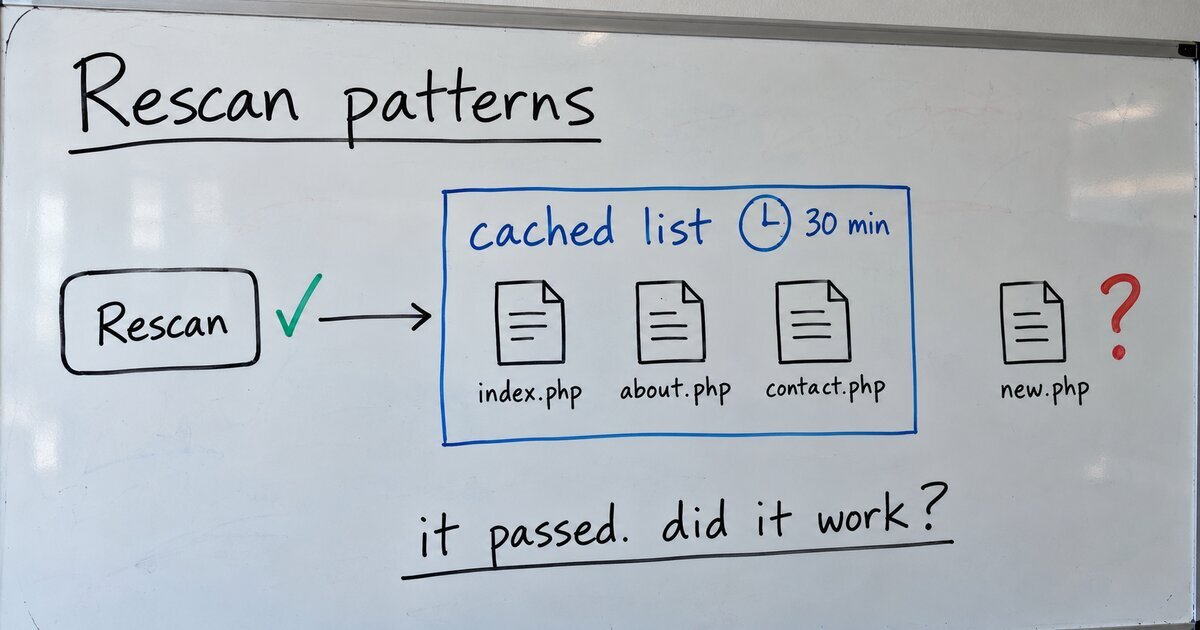
Why a new block pattern doesn’t show up: WordPress caches the patterns folder
The Rescan patterns tool in my plugin reported success and changed nothing, and every check on the plugin passed it. WordPress caches the list of a theme’s pattern files, and the tool re-read the cached list. Here is where the cache lives, how the tool was fixed, and four ways to make a new pattern…
-
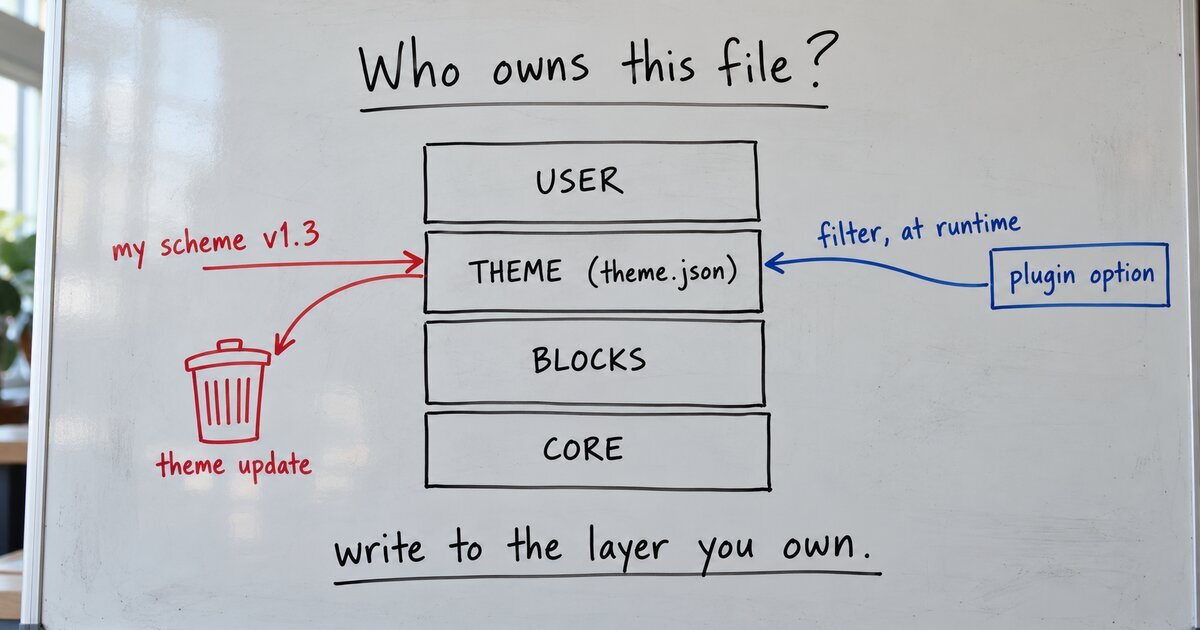
Why a theme update erased my site’s colors
My color tool saved each site’s scheme inside the theme’s theme.json. A theme update deletes the theme folder and installs the new one, so every update would have put the default colors back. The fix stores the scheme in a plugin option and supplies it at runtime.
-
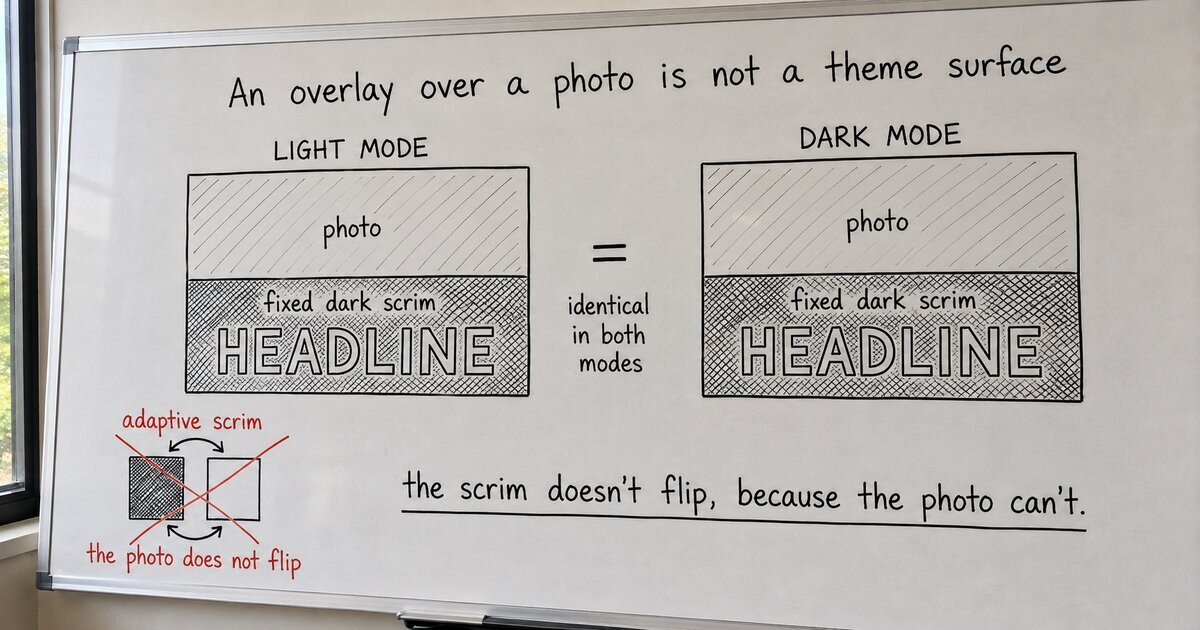
The text over an image shouldn’t follow dark mode
Our theme makes every color adaptive: it follows each visitor’s light or dark mode. So a normal image hero (photo, dark scrim, white text) would not build, because nothing stays put. The fix was realizing the scrim was never a theme surface.
-
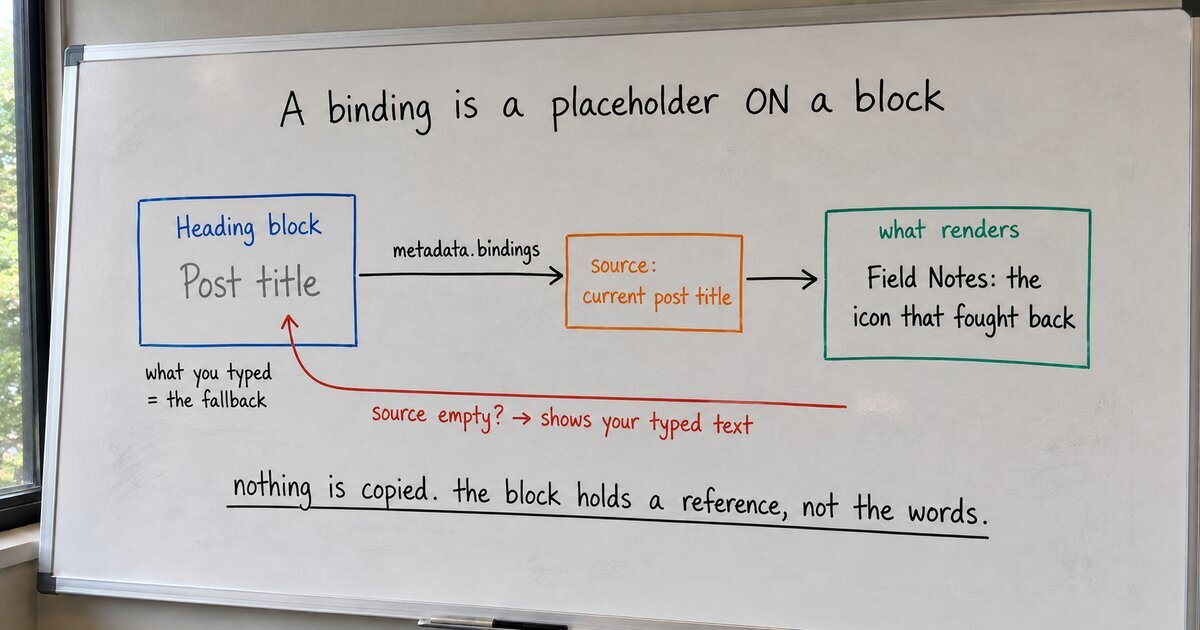
Dynamic content in WordPress, without a custom block or a shortcode
WordPress calls it ‘binding dynamic data to block attributes.’ In plain terms: a block binding is a placeholder on a block. It shows live data at render time, and the text you typed stays as the fallback. Here is the whole idea, and the part the docs skip.
-
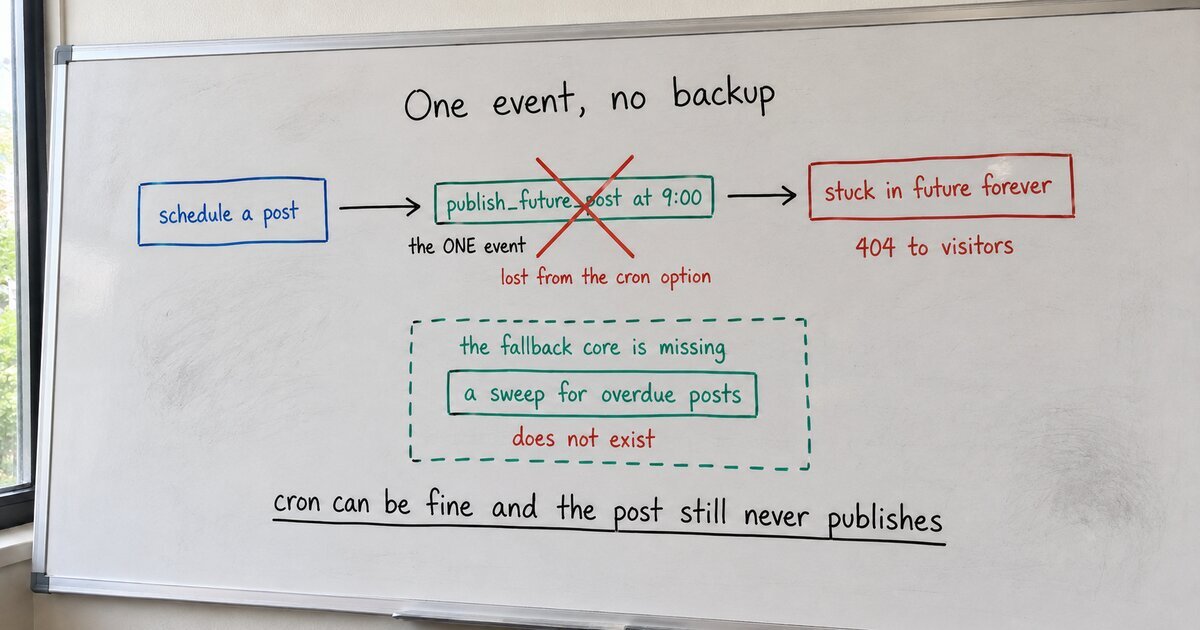
Why a WordPress scheduled post won’t publish, even when cron is fine
A scheduled post that misses its slot isn’t proof that wp-cron is broken. WordPress publishes a scheduled post with exactly one disposable event, and there’s no fallback. Read from core, with a fix more robust than the popular plugins.
-
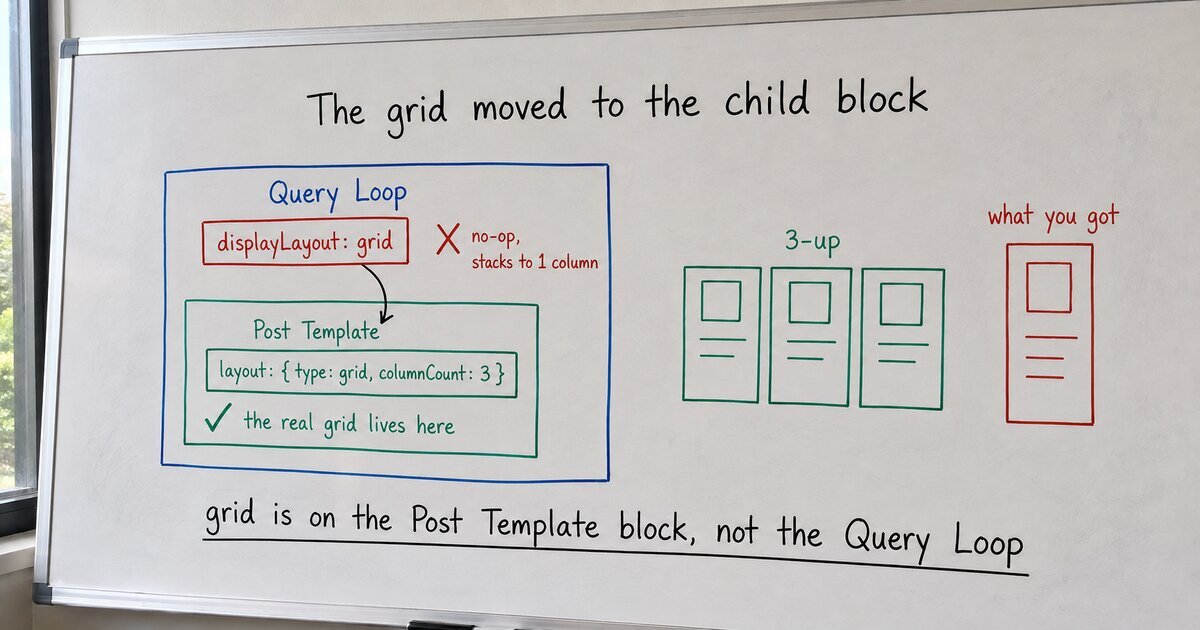
Why your WordPress Query Loop renders as one column, not a grid
A Query Loop set to a grid that renders one stacked column isn’t broken. The grid control moved from the Query Loop to its Post Template child, and the old displayLayout grid value does nothing. Read from core, with the fix.
-
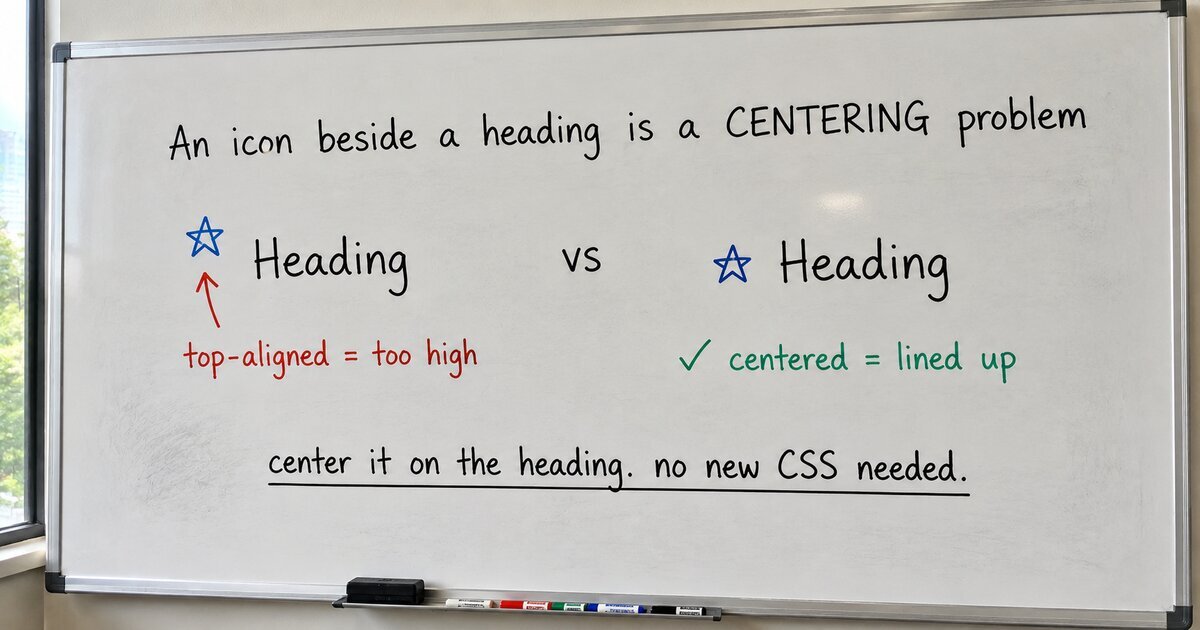
For an icon next to a heading, reach for centering, not text-box-trim
text-box-trim, the CSS that went cross-browser this month, is the right tool for aligning text to an edge. An icon next to a heading is not that job, it is centering. Here is why, measured, and the tool for each.
-
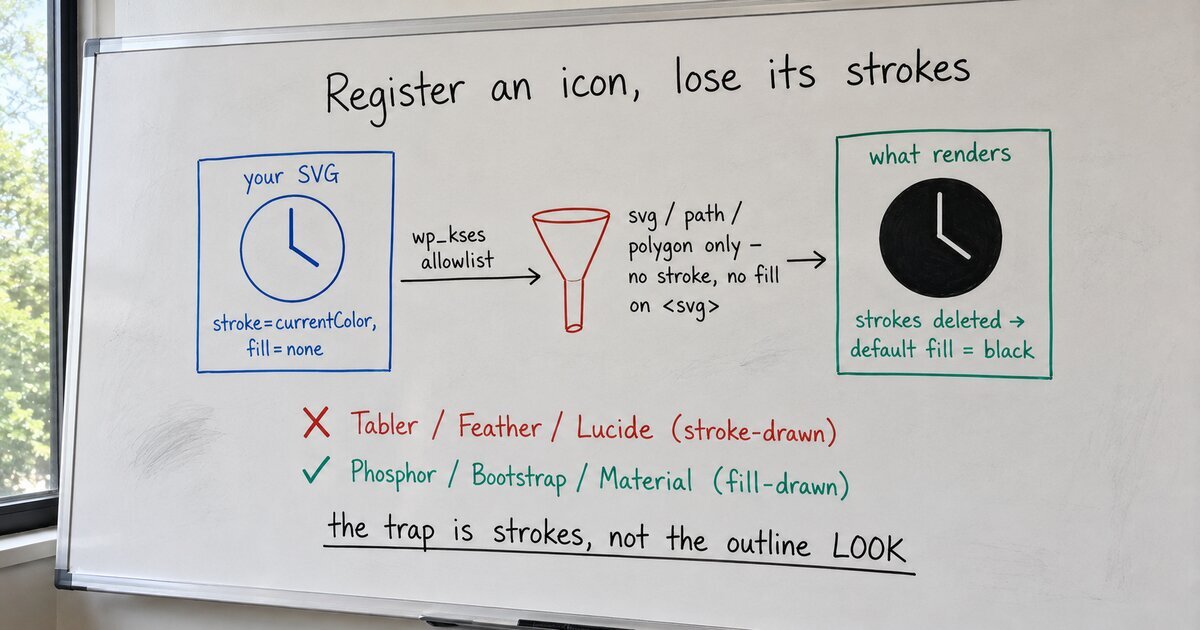
WordPress 7.1 lets you register icons. Then it deletes your strokes.
The 7.1 Icons API finally lets a plugin register its own SVG icons. Register a stroke-drawn set like Tabler or Feather and half of them arrive as solid black blobs. Here’s the sanitizer that does it, read from core, and the one property that decides which icons survive.
-
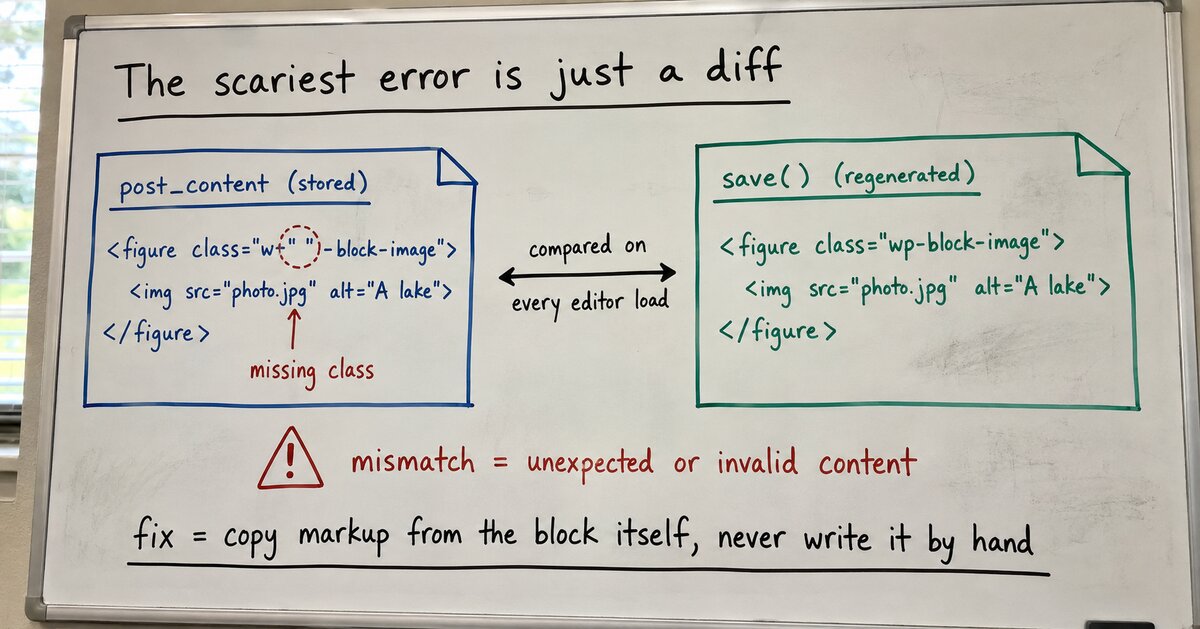
The “unexpected or invalid content” error is a diff, not corruption
The scariest error in the block editor is just two versions of your markup disagreeing: the one in the database and the one the block’s save() would write today. Here’s the comparison, read from core, and how to stop causing it.
-
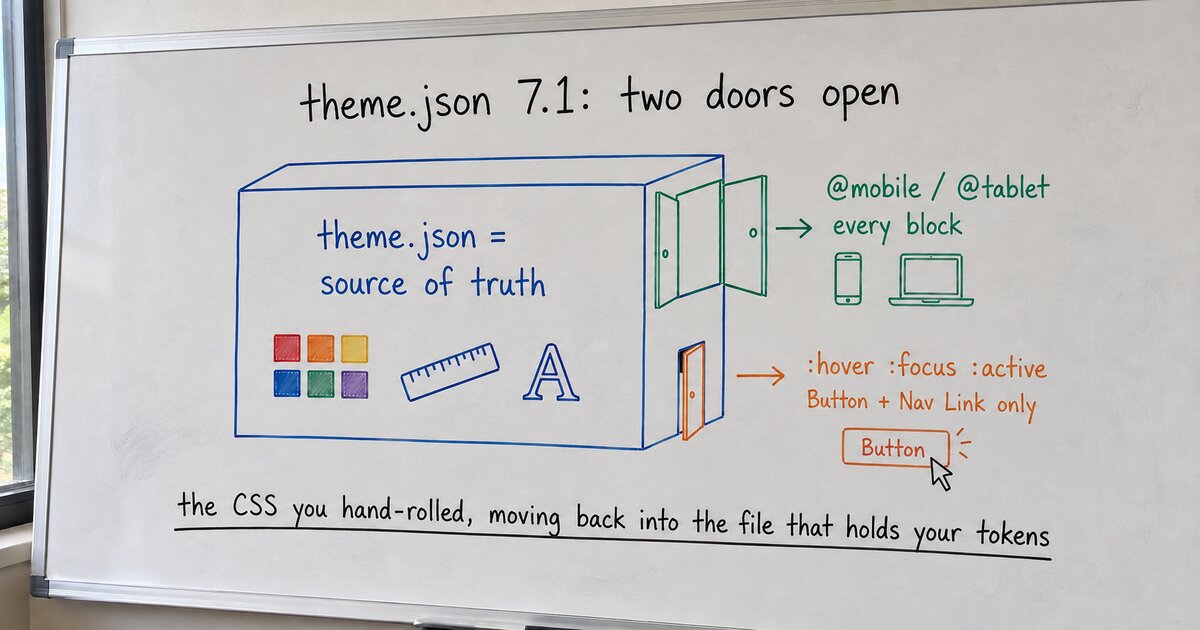
WordPress 7.1 and theme.json’s growing source of truth
Two ordinary things always ejected me from theme.json into a stylesheet: a hover color and a mobile padding. WordPress 7.1 pulls both back in. Unevenly, but it pulls.