
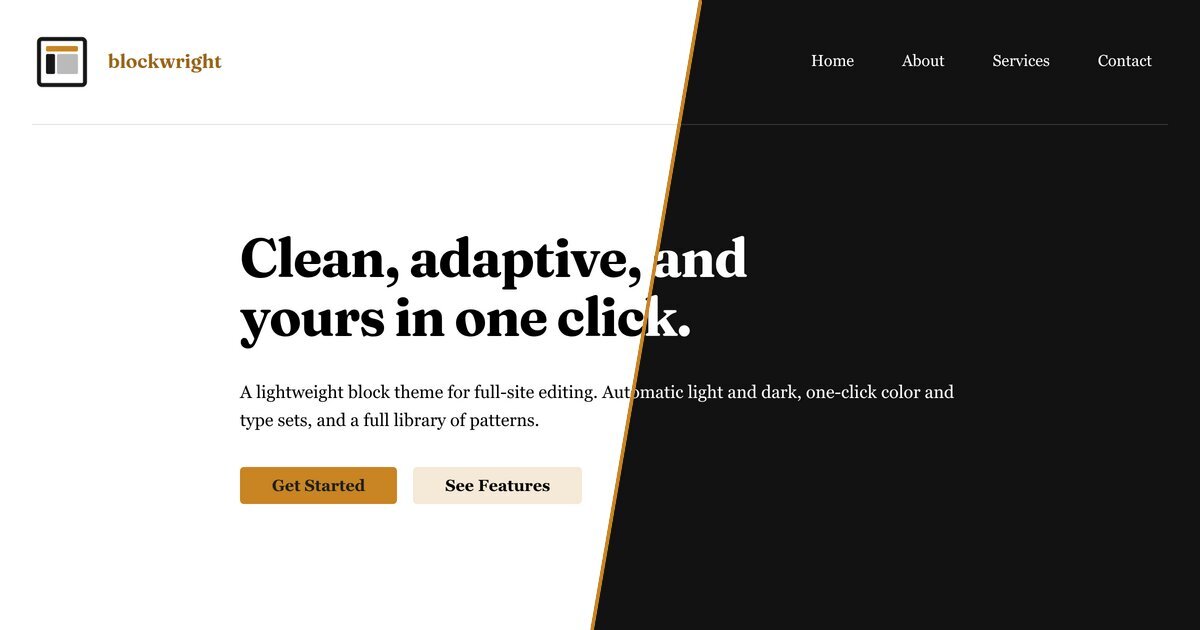
I came back to WordPress this year after a decade away. Blockwright is what I built when I got here, and it has been on WordPress.org since August without a post of its own here. Version 1.2.0 is current. I built it for my own client sites, and it’s free for anyone who builds them too. Everything in it rests on one idea: every design value lives in one file, a single source of truth.
Why I came back
A decade ago a WordPress theme’s design lived wherever its author put it: a stylesheet, a page of theme options, a page builder’s settings, the Customizer’s rows in the database. WordPress itself had no idea what your brand color was. For a long time, design was somebody else’s problem.
Page builders filled the gap, and charged for it
Page builders moved into that gap: drag-and-drop design on top of WordPress, with the design stored inside the builder. That cost three things.
Your design belongs to the builder. I installed Elementor 4.3.5 on a test site, built a page with a blue section, a heading and a button, then deactivated Elementor. The words survived as bare HTML. The blue background, the spacing, the centering and the button styling were all gone, because Elementor keeps the layout in its own database field, not in the post.
The markup is heavy. With Elementor active, the heading sat inside three nested div elements of Elementor’s own. Elementor’s developers have spent years removing wrapper elements from its output for performance, as their own release notes say.
The add-ons are an attack surface. By my count of the US National Vulnerability Database on 17 October 2026, it lists 37 vulnerabilities in Elementor’s free plugin and 7 in Elementor Pro, and 1,082 more entries that name a plugin “for Elementor”. Two were exploited in 2023 alone:
- An Elementor Pro flaw in 3.11.6 and earlier let a logged-in customer take over a WooCommerce site. Singapore’s Cyber Security Agency reported active exploitation.
- A flaw in the Essential Addons for Elementor add-on, rated 9.8 of 10, let anyone reset an administrator’s password on over a million sites. Wordfence reported attackers using it within days of the fix.
I know this one personally. A site of mine was hacked through an outdated copy of Elementor Pro, and I was paying for it at the time.
What changed
Then WordPress did the slow, unglamorous work. The block editor arrived in 5.0, and block themes, theme.json and full-site editing followed, as WordPress’s roadmap lays out. This summer 7.1 added hover and focus states and responsive styles to theme.json, as its release field guide lists, and I wrote about it the day it shipped. The design of a site is now data that WordPress reads, understands and builds its editor from. The block editor also saves standard block markup in the post itself, so a page built from core blocks keeps its structure with no plugin at all. That is the change I’d been waiting for, and it’s the reason this theme exists. Credit to the people who did that work over a lot of releases. I’m still not sure whether Blockwright is named for what I build or for what WordPress finally did.
I’ve built sites on Joomla and Drupal too, and coded for both. They’re still the only self-hosted software comparable to WordPress. By W3Techs’ count on 17 October 2026, WordPress runs 39.6% of all websites, Joomla 1.1% and Drupal 0.6%. Among sites whose software W3Techs can identify, WordPress’s share is 58.4%. Drupal added a drag-and-drop page builder, Canvas, in January 2026, its announcement says. WordPress’s own share is down from 43.3% a year earlier, by the same survey.
One file, four jobs
theme.json is WordPress’s settings file for colors, type, spacing and per-block styles, an approach that, as WordPress’s own Learn course puts it, “is often referred to as having a single source of truth”. In Blockwright every design value lives there: 97 colors, 11 font sizes, 9 spacing steps and 3 font families, plus the styles for each core block. From that one declaration WordPress does four things:
- It generates a CSS custom property for every token.
- It fills every color picker and size control in the editor with those tokens, by name.
- It styles the editor and the front end from the same values, so they match.
- It lets a style variation swap a set of tokens without touching anything else.
The theme’s own stylesheets reference those tokens instead of hard-coding values. A check in the build fails on any hex color, or any fixed px or rem size, that doesn’t come from a token. Five values in the whole theme carry a written exemption. Not every rule fits in the file yet. Some states, variants and transforms are beyond what theme.json’s schema can express, so a stylesheet carries those rules, and every value in it is a token from theme.json. Those limits are what the WordPress section below is about.
Two details show how far one value can go. A color holds both modes. This is the theme’s body text color:
{ "slug": "text-1", "color": "light-dark(var(--wp--preset--color--neutral-900), color-mix(in oklab, white 92%, var(--wp--preset--color--surface-1) 8%))" }Near-black text in light mode, and in dark mode a near-white tinted by the page’s own surface. There is no second stylesheet for dark mode, because each token already knows both answers. And a size holds every screen width. The Medium spacing step is clamp(1.5rem, 1.375rem + 0.625vw, 1.875rem), one value that grows smoothly from a phone to a wide monitor.
So a color scheme is only a palette. The Teal scheme’s file contains nothing but colors. Sixteen color schemes and four type sets combine into 64 looks with no extra CSS, and a scheme changes every button, link and border at once because they all point at the same tokens. For my own sanity I keep the file as 45 smaller fragments and compose it with one command; WordPress still sees one file.
What that gets you:
- One change reaches the whole site. When a client asks for something warmer, you change a token, not forty files.
- The design is readable. It’s one JSON file, so you can diff it, and an AI tool can read and edit it without hunting through CSS.
- Your changes stay yours. The file is the theme’s source of truth, and your own changes sit on top of it: Site Editor changes are saved in the database, and a scheme applied with the Design tool is kept by the plugin. A theme update replaces the theme’s files, so your look can’t live in them.
What WordPress still needs to add
The direction is right, and the work isn’t finished. These are the gaps I hit, each checked against WordPress 7.1.3:
- No dark mode in
theme.json. The class that reads the file has no setting for light and dark color schemes. I write every color with CSSlight-dark()and setcolor-schememyself, separately for the front end and the editor. - Presets can only be replaced, not extended. Core’s update method swaps in a whole preset list. A style variation or child theme that wants to change one color has to restate the entire palette, or every color it leaves out disappears.
- The Site Editor can’t save back to the file. Its changes go to a database record that overrides the file, so the
theme.jsonin your Git repository and the live site drift apart. There’s an open discussion about Git workflows for block themes. - Picking a style variation freezes it. WordPress copies the variation into the database, where later theme fixes never reach it (gutenberg#62661, open since 2024).
- Design tokens stop at presets. A proper token system for themes is still a proposal (gutenberg#76509).
- Some values are still hard-coded in core. The Navigation block collapses to its mobile menu at 600px, set in its stylesheet, and no
theme.jsonsetting changes that.
What’s in the theme
- Adaptive color: it follows each visitor’s light or dark system setting, with WCAG AA contrast in both. No toggle is needed.
- Sixteen color schemes (fourteen hues, a true Grayscale and a cool Slate) and four type sets (Modern, Technical, Editorial and Geometric), mixed in one click under Styles.
- Fluid type and spacing scales.
- Over fifty patterns: heroes, services, pricing, testimonials, FAQs and contact sections, plus full page layouts for business, portfolio, blog, landing, pricing and contact pages.
- Card, Card Divided and Panel block styles, and a Style Guide template with the colors, type, buttons and spacing.
- Core blocks only, self-hosted fonts, nothing loaded from third parties, and no plugin you have to keep.
The free Blockwright Blocks plugin adds a Design tool, which turns your exact brand color into a full scheme, plus adaptive blocks, dynamic content and 298 icons.