
I worked with an HVAC company that had six technicians in the field. Its monthly numbers were always ready by the eighth. They described a month everyone had already forgotten.
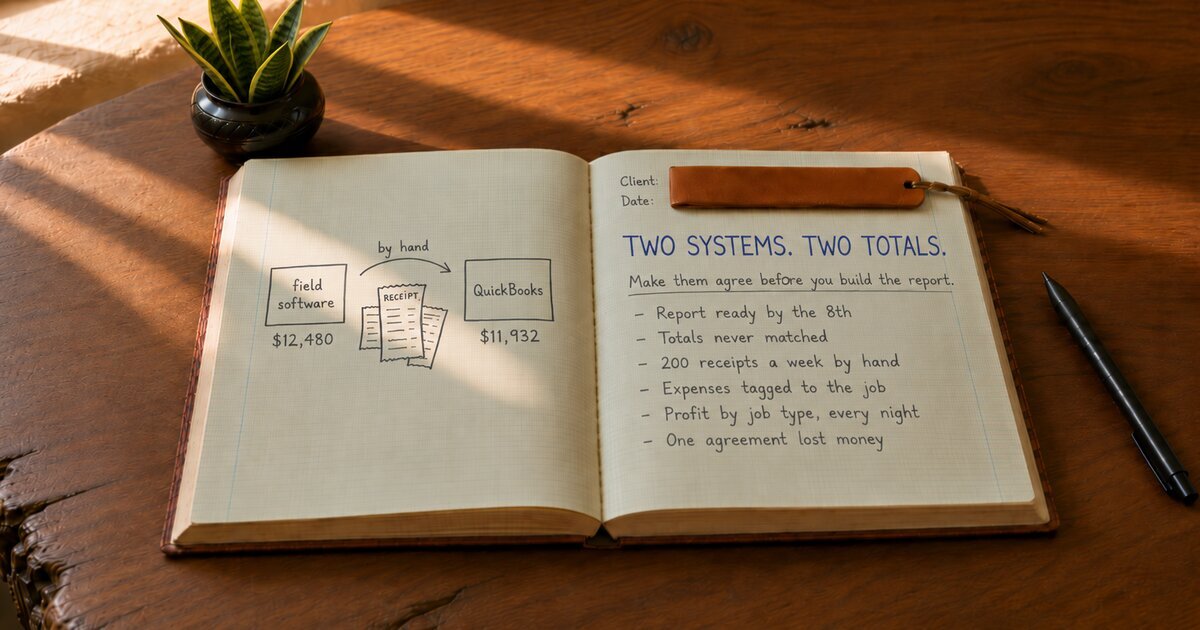
The owner’s wife ran the office, which is how it goes at many small shops. The techs ran their tickets, each service call and its invoice, through the field software the shop used to dispatch and bill jobs. The invoices synced over to QuickBooks. Then she spent the last week of every month making the two agree. They never quite did. The field software said one thing for revenue, QuickBooks said a thousand or two less, and nobody could say which was right.
The bigger job was the costs. Every week, around two hundred receipts came in from the supply house (the parts distributor), the gas station and the hardware store. She matched each one to a job by hand, from memory and the techs’ handwriting. When the month got busy, that slipped, and the parts landed in a general bucket. The owner had a revenue number he half trusted and no idea what any single job had cost him.
He priced by feel. He knew the tune-up special was a loss leader. He did not know the no-heat calls on older units were barely breaking even. Those are the calls where a furnace will not come on, and the extra trips to the supply house never made it onto those tickets.
Here is what was going on. The report was never the problem. The data underneath it disagreed, and no spreadsheet built on top of disagreeing data can be right. Making the report prettier would only have produced a prettier wrong answer.
So the work started underneath. I fixed the sync first. Duplicate customers got merged, and every pricebook item (the services and parts the techs sell from) got mapped to the right QuickBooks account. Manual entries in QuickBooks stopped, because they were creating doubles. Then the expenses. Supply house orders now carry the job number when they are placed, so the parts land on the right ticket without anyone matching them later. The few receipts that slip through get photographed in the field app by the tech who paid.
With clean data on both sides, the report builds itself every night: revenue, parts and labor by job type, by tech, and by maintenance agreement. A maintenance agreement is the yearly tune-up plan homeowners sign up for. The office got its last week of the month back. And the first thing the new numbers showed the owner was that his oldest maintenance agreement had been losing money on every visit for two years.
Pick one job you run every week, a tune-up or a no-heat call. Ask what it cost you last month, parts and labor, and how long it takes to find out. If the answer is a guess or a day of digging, the report is not your problem. The data underneath it is.