
I needed a phone icon for a contact section. WordPress 7.0’s Icon block offers a picker of exactly 88 icons, and none of them is a phone. No clock either, no code brackets, no lightning bolt. Eighty-eight thoughtful, well-drawn icons that are somehow never the one you need.
Fine, I thought, I’ll register my own. That’s a reasonable expectation. WordPress lets you register nearly everything: post types, taxonomies, blocks, patterns, styles. So I went looking for the icon equivalent, and this is where the trip gets educational.
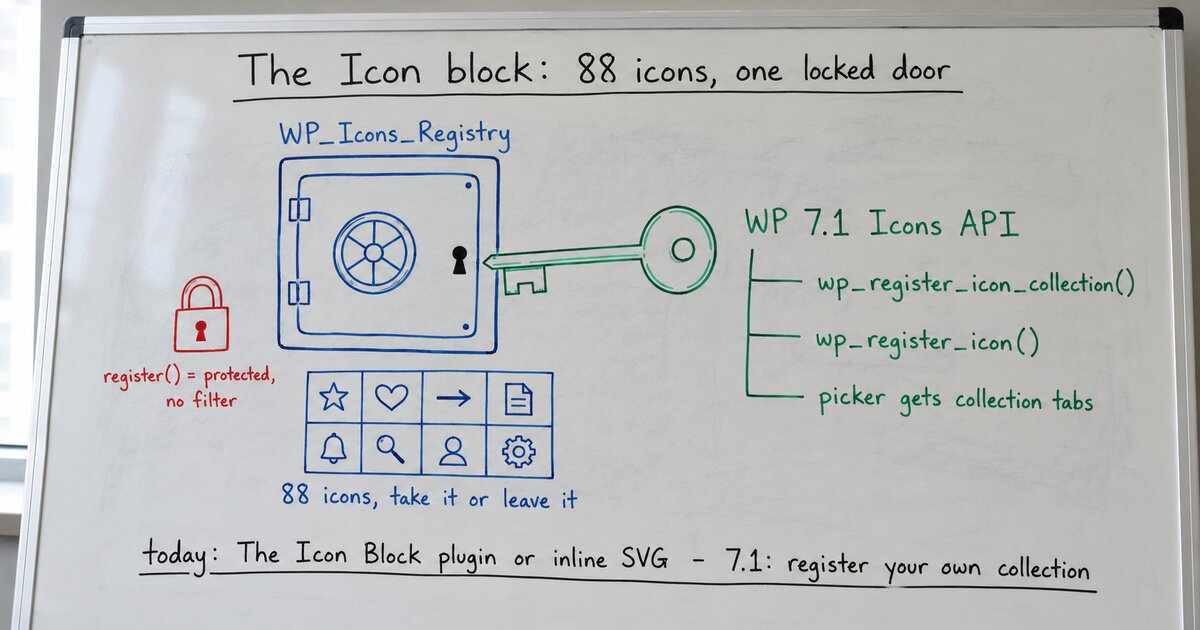
The Icon block is server-rendered, and the icon you pick is stored by name, not as SVG in your content. At render time, WordPress looks the name up in a class called WP_Icons_Registry and prints the markup. (This is a genuinely nice design: your post holds "icon":"core/star", the registry holds the drawing, and no block-validation drama can ever come from an SVG’s whitespace.) The 88 icons come from one file, wp-includes/assets/icon-library-manifest.php, loaded into the registry at boot. I’m reading WordPress 7.0.2.
So to add an icon you’d need one of two things: a public way to call the registry’s register() method, or a filter on the manifest load. Neither exists. The method is protected, the load has no filter, and there is no wp_register_icon() function. The registry isn’t extensible-but-undocumented; it is closed on purpose, and the source reads like it knows it: a complete, working system with the third-party door deliberately not cut into the wall yet.
That “yet” turns out to be doing real work. While confirming there was no supported workaround, I found the official dev note for WordPress 7.1, and the door is not only planned, it’s committed:
wp_register_icon_collection()creates a named group of icons;wp_register_icon()adds icons to it, from inline SVG or a file path.- Icon names become
collection/icon-name, so your icons can’t collide with core’s or anyone else’s. - The core picker grows tabs, one per collection plus an All tab, so registered collections show up natively next to core’s set.
- The block’s server render delegates to a new
wp_get_icon(), which also works standalone for themes and plugins that want to print an icon anywhere.
In other words, 7.0’s closed registry was a first release being careful, not a philosophy. Core shipped the machine, watched it run for a cycle, and is now handing out keys.
What to do with that, depending on when you’re reading:
- Today, on 7.0.x: you cannot add icons to core’s picker, full stop. If you need custom icons now, the established answer is The Icon Block plugin (note the definite article: it’s a separate, popular plugin by Nick Diego, not core’s block), which accepts pasted SVG and custom libraries. Or skip blocks entirely and put the SVG in your markup.
- When 7.1 lands: register your icons as a collection and they appear in the core block for every editor on the site. If you maintain a theme or plugin with a brand icon set, the dev note’s namespacing rules are worth reading now so your collection name is ready.
- Either way: don’t build a custom icon block this month. The cheapest feature is the one core ships for you, and this one is one release away.
That last point is the transferable lesson, and it cost me nothing this time only because I checked. Core absorbs primitives: registries, APIs, low-level capabilities. If you catch yourself building one, spend ten minutes in the dev notes first to make sure core isn’t already holding the door.
And the phone icon? Still waiting… but now it has a namespace reserved.