
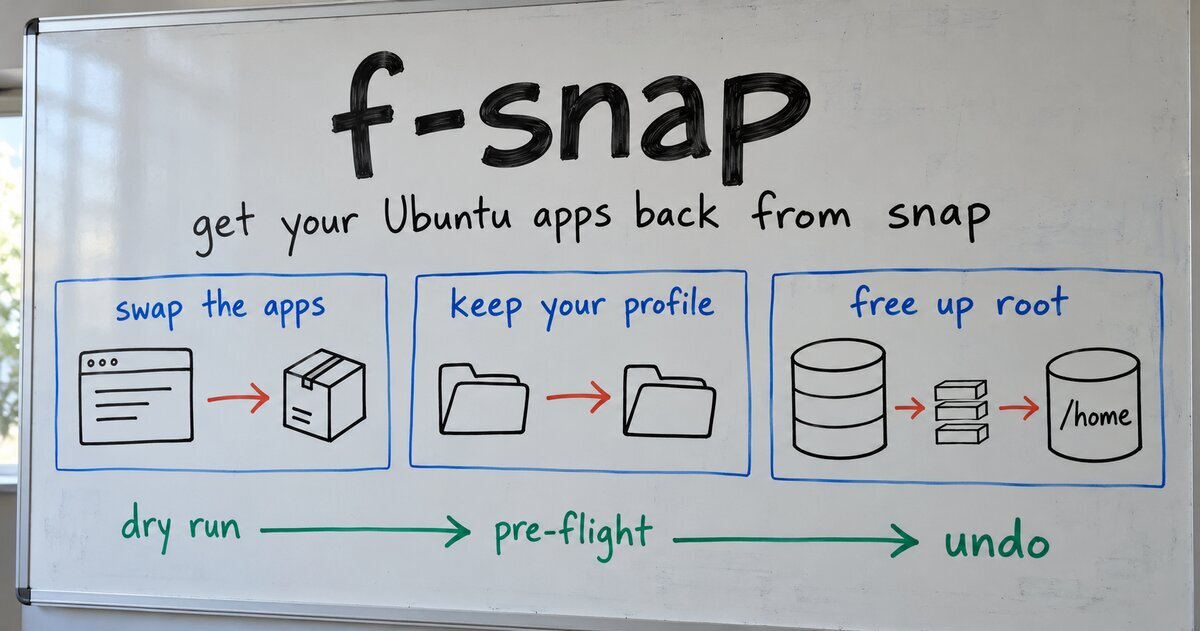
Install Ubuntu 26.04, open Firefox, and it’s a snap. So is Thunderbird, and tick Element and Krita in Kubuntu’s installer and they arrive as snaps too. If you’d rather have the apps their makers publish, f-snap swaps them back, brings your bookmarks and mail along, and then stops.
I wrote the first version in May 2025 for my own machine. The f stands for “Forget.” That’s the radio edit. Version 1.0.1 is on GitHub.
Why not remove snap entirely
Most guides answer “I don’t want snaps” by removing snapd. Ubuntu Handbook’s 26.04 guide removes every snap, then snapd, then pins snapd so apt can’t bring it back. It also lists what you lose: App Center, Security Center and Firmware Updater. On 26.04 those are Ubuntu’s own tools, and App Center is where Ubuntu manages apps, debs included. Removing them to get rid of a browser snap trades one problem for three.
f-snap uses a narrower rule. It replaces a snap only where the replacement is better for you, never because another package exists:
- Firefox goes to Mozilla’s APT repository, which Mozilla’s own Firefox install page labels “(recommended)” for Ubuntu. On 26.04 the snap also lost Kerberos sign-on that worked on 24.04, as reported on the Snapcraft forum, and on some Intel graphics it decodes AV1 video in software, an Ubuntu Discourse thread found.
- Thunderbird goes to the same repository, which Mozilla’s Thunderbird install page also labels “(recommended)”.
- Element goes to Element’s own repository. The Element snap is published by an individual, not Element, its Snapcraft page shows, and on 14 October 2026 it was at 1.12.29 while Element’s own repository had 1.12.31.
- Krita goes to Flathub, where the Krita Foundation publishes 5.3, its Flathub listing shows. On 17 October 2026 the snap was still at 5.2.11, according to Snapcraft.
- App Center, Firmware Updater, Security Center and Ubuntu’s other snap-only tools stay snaps, and snapd stays.
The sources for every choice are in f-snap’s app research notes.
The profile is the hard part
Swapping the package is the easy half. Firefox and Thunderbird give each installation its own profile, Mozilla’s support docs explain, and a new installation adopts an existing profile only if that profile says the same installation last used it. A profile copied out of the snap names the snap. So the new Firefox opens, finds your profile, decides it belongs to someone else, and starts an empty one.
f-snap copies the snap’s profile to where the new app looks and points it at the new installation, so you open your own bookmarks and mail. A profile you already had outside the snap is never overwritten.
Rehearse it first
You are running a script that removes software with sudo. It should prove itself before it touches anything:
./f-snap.sh --dry-runchanges nothing and needs no sudo. It prints every command the real run would run, every file it would write with its contents, and apt’s own simulation of each install.- The real run starts with a pre-flight. It simulates every replacement with the new repositories in place before it removes a single snap. If one would fail, it stops with every snap still installed.
- Every change goes to
f-snap.log, andundo-f-snap.shworks from that log.
The pre-flight has already done its job. Ubuntu Kylin, Ubuntu Unity and Ubuntu’s Extended install ship empty Firefox and Thunderbird locale packages, and installing Mozilla’s packages would have removed them. On those systems 1.0.0’s pre-flight refused, and f-snap removed nothing. Version 1.0.1, released 2026-10-17, fixed it: f-snap now swaps those packages for Mozilla’s language pack for your system locale, so Firefox and Thunderbird keep your language.
Gigabytes back on your root partition
This part is optional. Most of snapd’s disk use is the installer’s copy of every snap it shipped, which snapd keeps for good: 3.9 GB on a fresh Kubuntu 26.04.1 and 1.6 GB on Ubuntu, measured in the test VMs. snapd has no setting for where its data lives, so f-snap moves the whole /var/lib/snapd folder (and /var/lib/flatpak, if you want) to /home and bind-mounts it back through /etc/fstab. A symlink looks like the shortcut, and it breaks snapd, as one user found on the Snapcraft forum.
Where it’s been tested
Each of these was installed fresh in a virtual machine, with /home on its own disk, and taken through the dry run, the real run with both stores moved, the verify script, a reboot, and the undo script. f-snap 1.0.1 passed on every 26.04 flavor that shipped an image, all 26.04.1 except Unity, which has only a 26.04 image:
- Ubuntu, with the installer’s Default selection and with Extended, installed in English and in German
- Kubuntu, with Krita and Element ticked in the installer
- Ubuntu Studio
- Xubuntu
- Ubuntu Budgie
- Ubuntu Cinnamon
- Edubuntu
- Lubuntu and Ubuntu Unity, each with Element, Thunderbird and Krita ticked in the installer
- Ubuntu Kylin
Ubuntu MATE has no 26.04 image, and older Ubuntu releases have not been tested. On Debian, Linux Mint or Pop!_OS, f-snap only offers to move the snap and Flatpak stores, because its app swaps are built for Ubuntu’s packages.
Try it
git clone https://github.com/markrusselldev/f-snap.git
cd f-snap
./f-snap.sh --dry-run
Read what it prints, then run it without --dry-run. It’s GPL-3.0 and free. If it trips on your flavor, open an issue with your flavor, the f-snap version and the end of f-snap.log.
The rule behind every line of it fits on a whiteboard: a package existing is not a reason to install it.